A shared view of the floor
SYM POS · Product preview
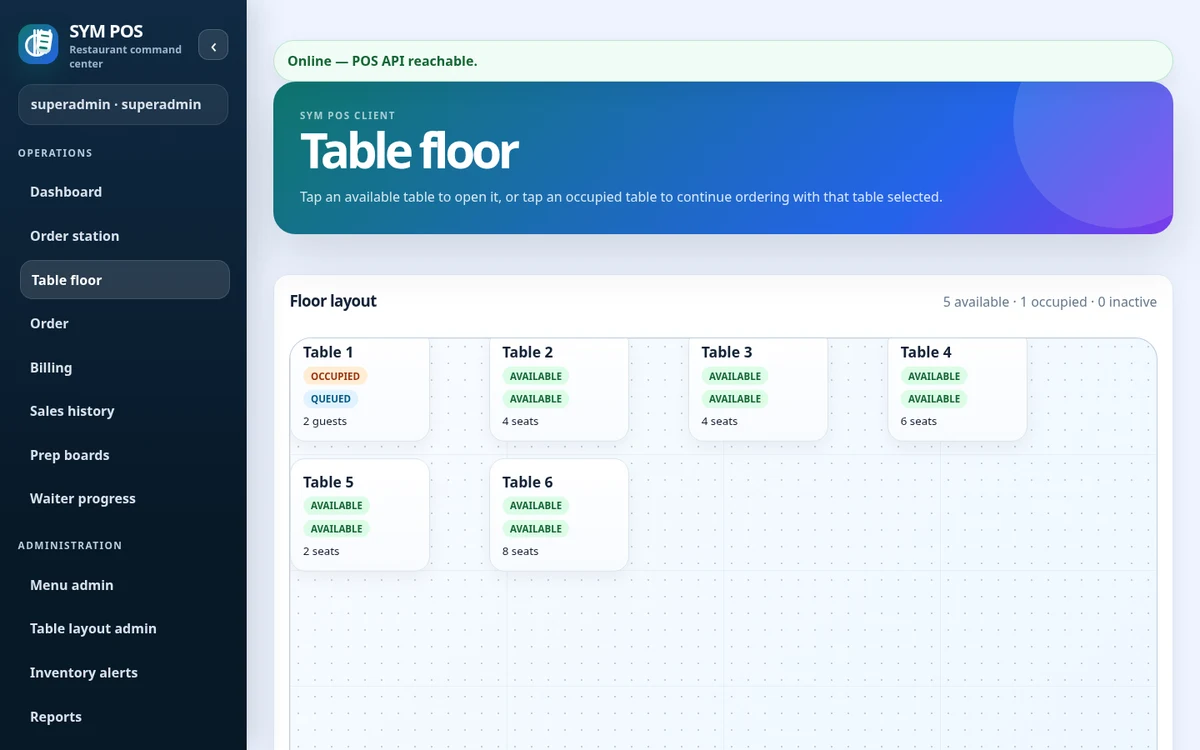
Select a table session and review its service context before taking the next order.
OPEN-SOURCE · LOCAL-FIRST RESTAURANT OPERATIONS
From the first order to the last bill. One open-source platform for your floor, kitchen, counter and back office—built to work on your restaurant’s local network.
Explore the code, self-host a local installation and help the project grow. Star SYM POS on GitHub.
EVERY STATION. SAME SYSTEM.
Less passing information around. More keeping service moving. Give every team a connected workspace for the work in front of them.
Select a table, build an order with quantities, notes and modifiers, and send items to preparation. Cashier and waitstaff browser workflows keep service connected.
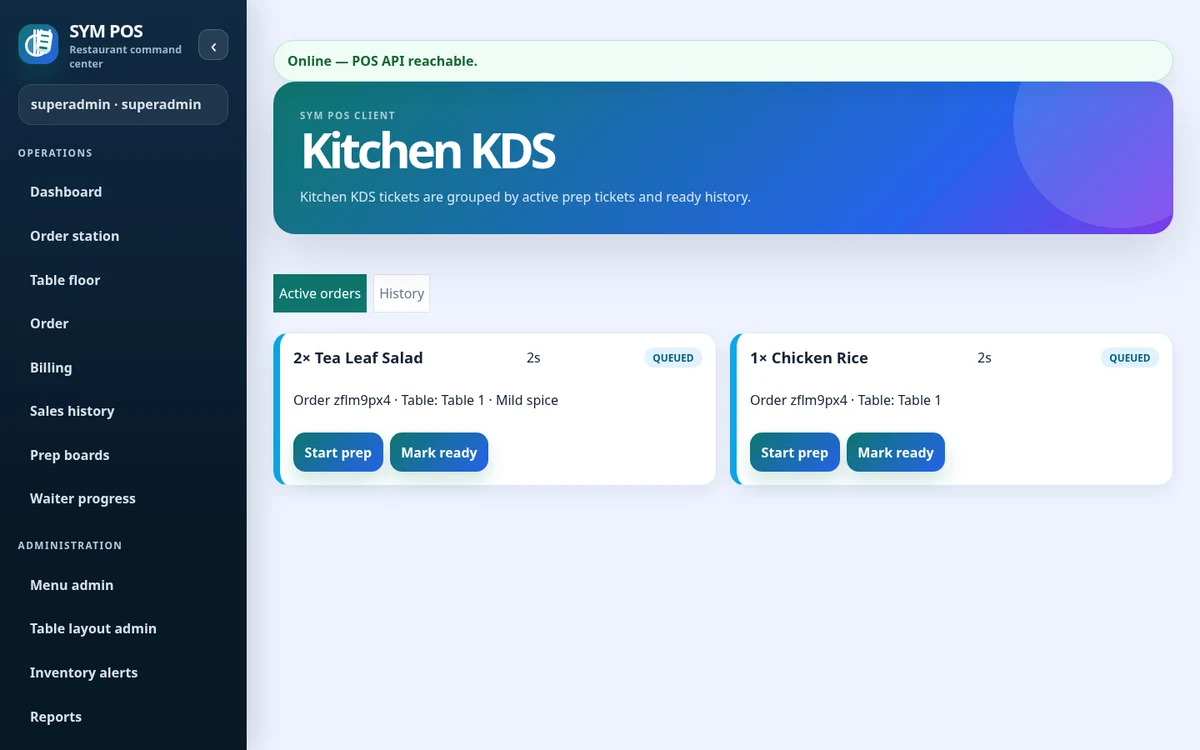
Explore front of houseSeparate kitchen and bar queues show item notes and preparation progress. Move items to preparing or ready, with station printing where configured.
Explore kitchen & barGenerate bills, split payments, apply discounts and configurable taxes, record payments, settle debt and print receipts. Payment recording does not imply an integrated payment gateway.
Explore billing & paymentsTrack inventory records, stock movements and low-stock thresholds. Optional menu-to-inventory links connect configured items to stock usage.
Explore inventoryReview business-day summaries, product mix, station activity and exception reports. Export report data to CSV or prepare a print view.
Explore management & reportsManage items, categories, prices and preparation stations. Import .xlsx workbooks with validation and a preview before confirming transactional changes. Up to 5,000 rows and 5 MB per import.
Explore menu managementBUILT FOR THE WAY RESTAURANTS WORK
Run SYM POS on a local restaurant server with PostgreSQL. Your cashier, waiters, kitchen, bar and managers connect through ordinary browsers on the same network.
Local server, database and network availability still matter.
Core workflows stay on your LAN
FROM FIRST ORDER TO FINAL RECEIPT
One connected flow for the people taking orders, preparing them and closing the bill.
Open a table session or takeout order.
Add menu items, quantities and notes.
Kitchen and bar see station items.
Follow preparing and ready updates.
Generate a bill, record payment and close.
MADE FOR THE FLOOR
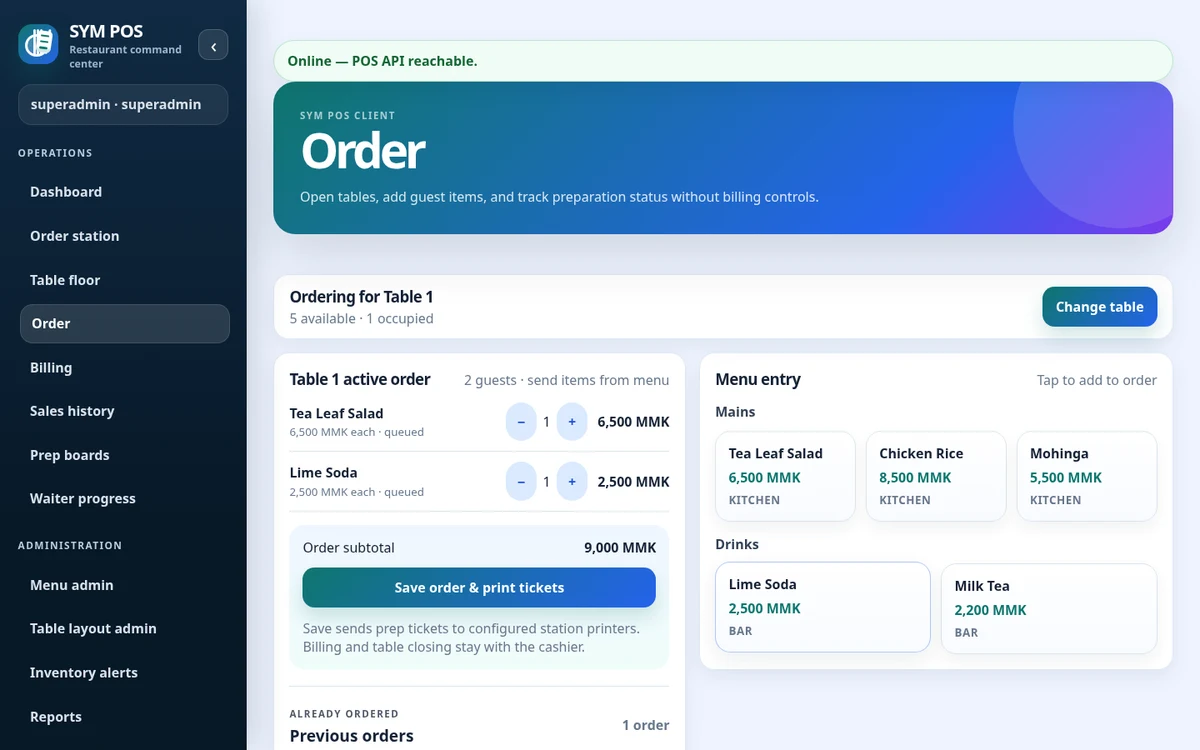
Select a table, add menu items and capture the details that matter. Item notes and modifiers follow the order into preparation, while your team tracks its progress.
CLEAR ORDERS. COORDINATED PREPARATION.
Station-specific queues, item notes and preparation status help each team see what needs attention.
THE WORKFLOW, IN THE PRODUCT
Explore actual SYM POS workspaces, captured from a local evaluation with sample menu items, tables and orders. Open any image for a full-size view.
Select a table session and review its service context before taking the next order.
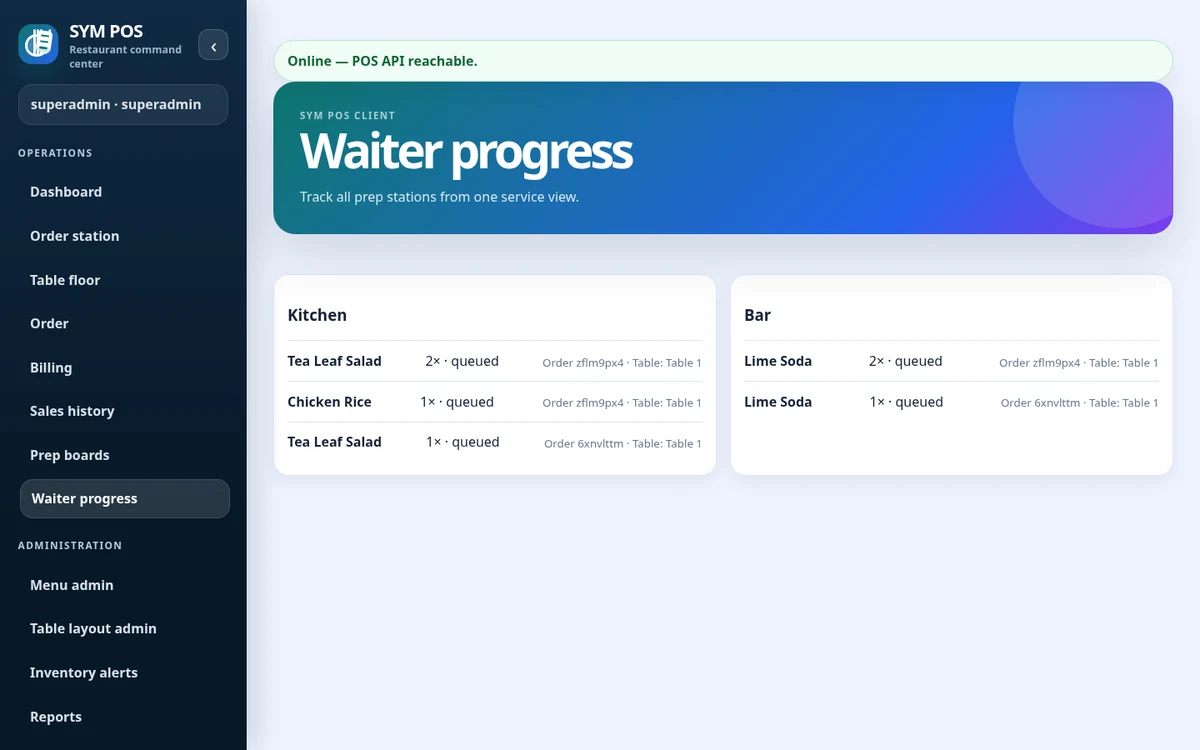
Follow the status of submitted items from a browser workspace connected to the same local server.
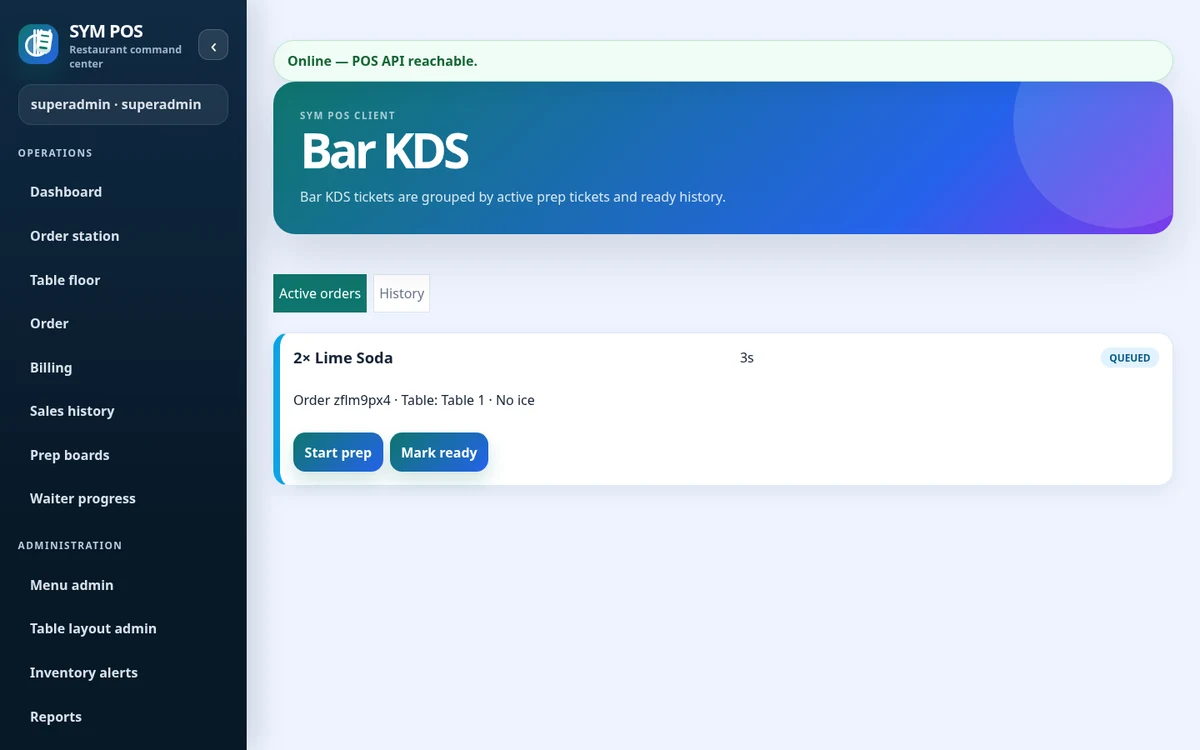
Drink items reach the station assigned in the menu, with their quantities and preparation notes.
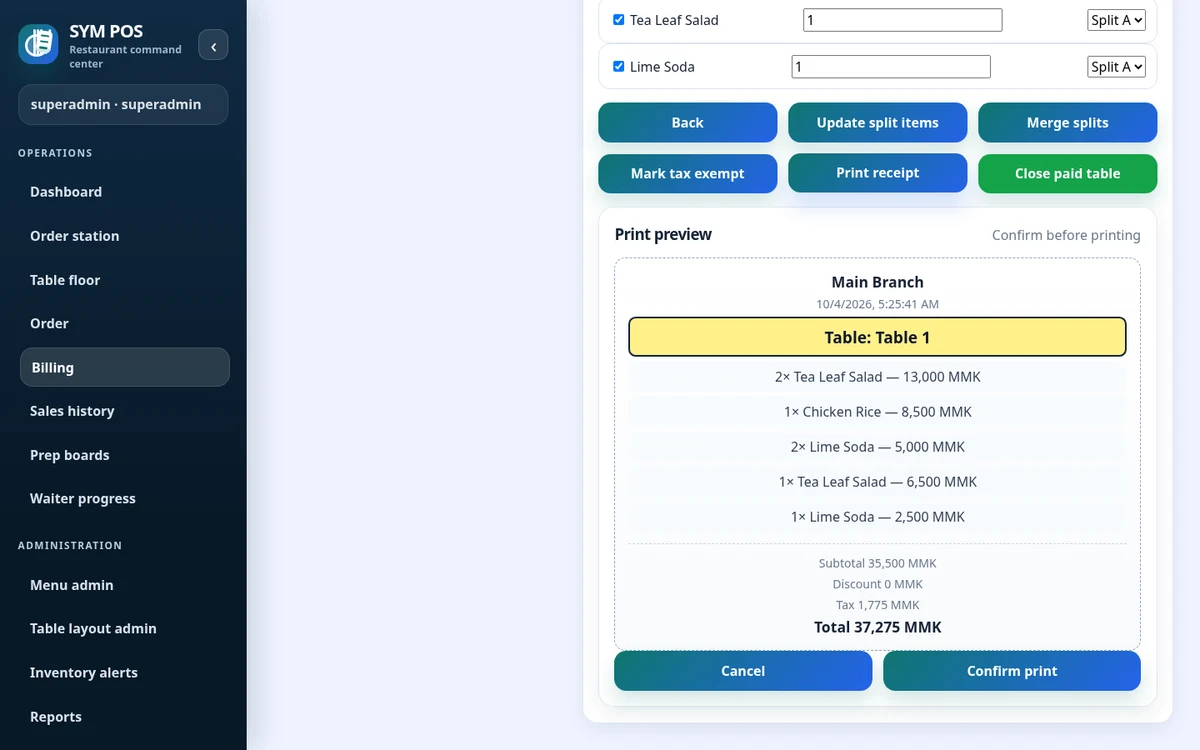
Review calculated lines, discounts and configured tax in the actual receipt preview before printing.
BEYOND THE ORDER
Close the bill, understand your stock and see how the day is going.
Generate bills, split payments, apply discounts and configurable taxes, record payments, settle debt and print receipts. Payment recording does not imply an integrated payment gateway.
Explore billing & paymentsTrack inventory records, stock movements and low-stock thresholds. Optional menu-to-inventory links connect configured items to stock usage.
Explore inventoryReview business-day summaries, product mix, station activity and exception reports. Export report data to CSV or prepare a print view.
Explore management & reportsYOUR DEVICES. CONNECTED.
Cashier desktop, waiter tablet, kitchen display or manager laptop. Supported devices reach the same local application through a browser.
Configured Windows queue · TCP network · Simulator
CONNECTED ON YOUR TERMS
Optional synchronization connects local POS and cloud deployments. Current bidirectional synchronization supports menu data, backed by durable queues, reconciliation and health diagnostics.
A CLOSER LOOK AT MANAGEMENT
Review restaurant stock, understand recorded activity, keep the menu current and investigate supported operational changes from browser-based administration workspaces.
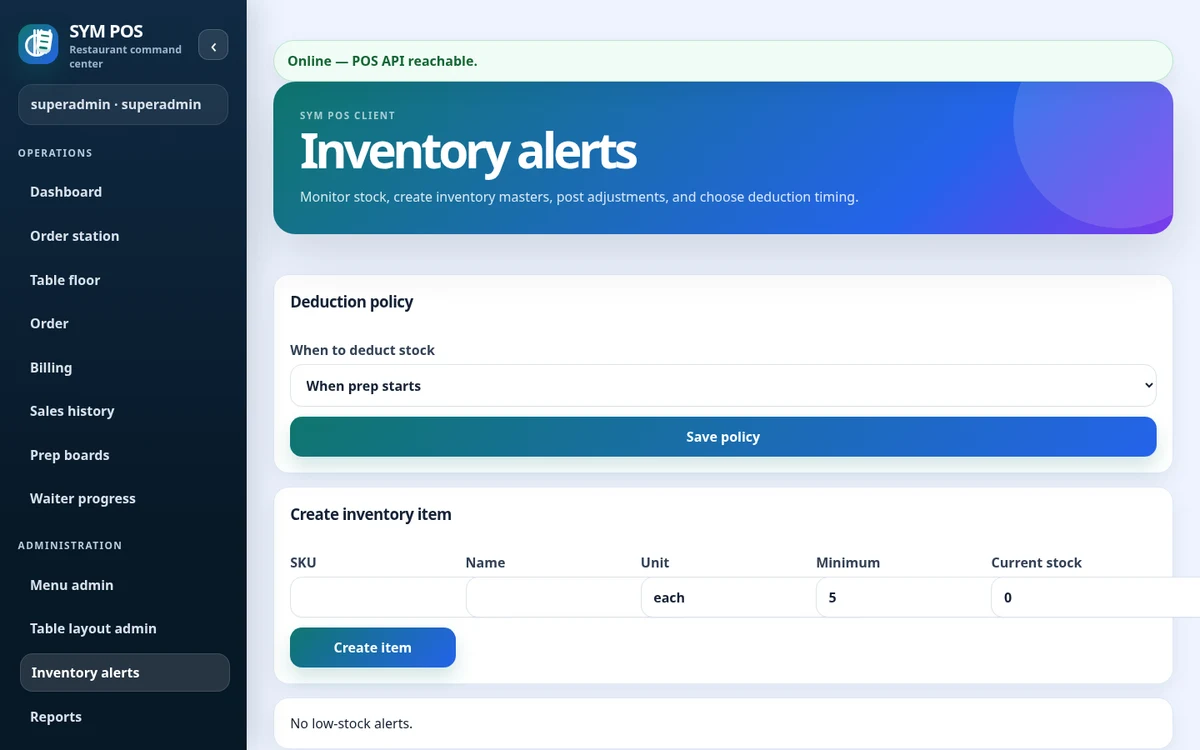
Review records, current balances and low-stock visibility for the inventory you maintain.
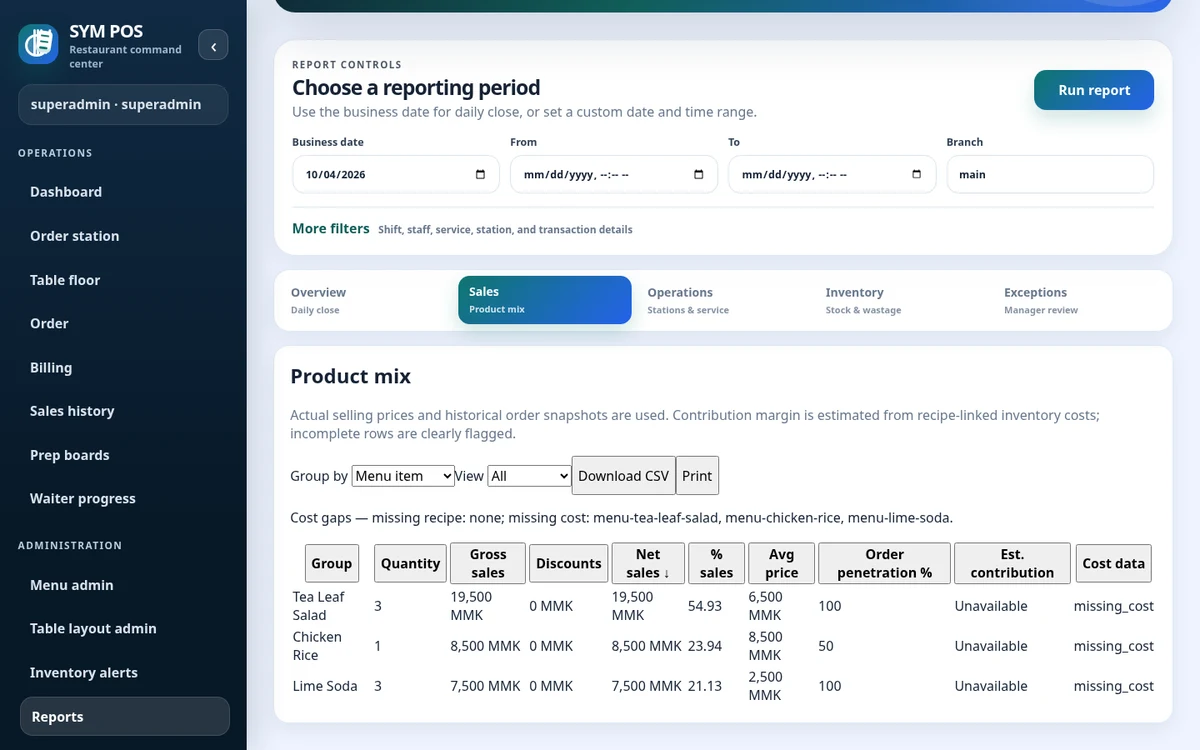
Use product mix reporting to examine recorded activity in the period you select.
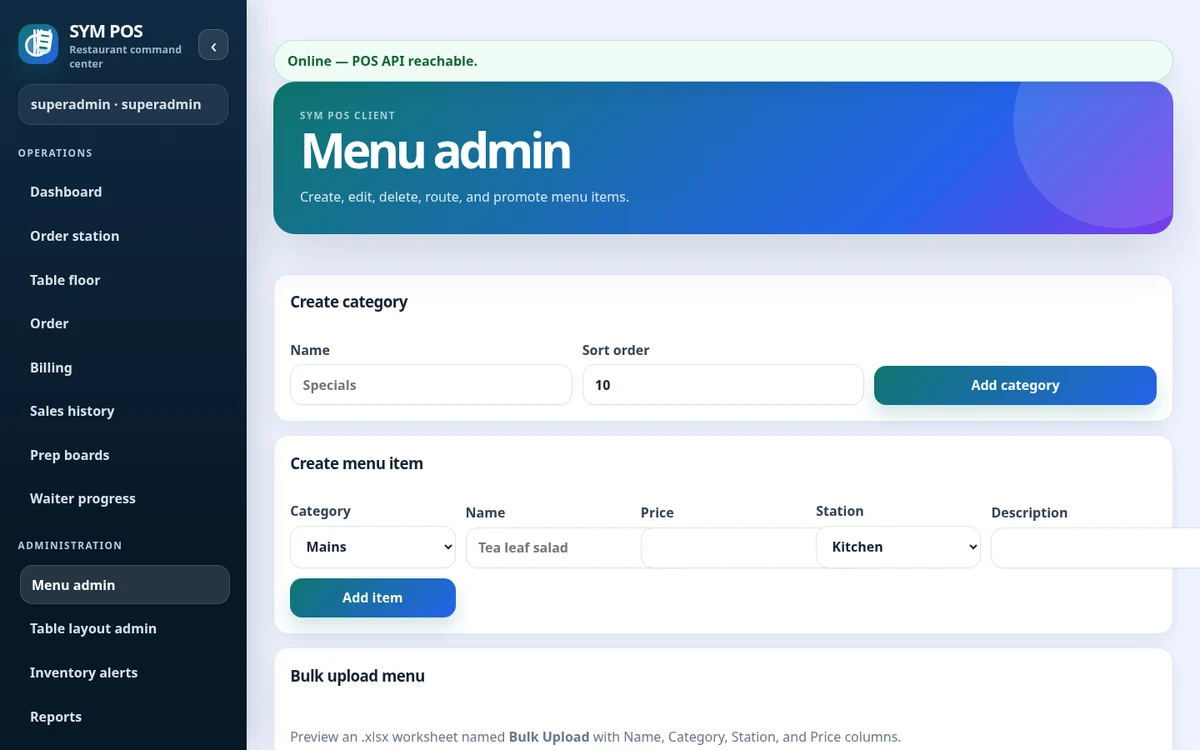
Maintain categories, prices, availability and station assignments; validate Excel imports before confirming.
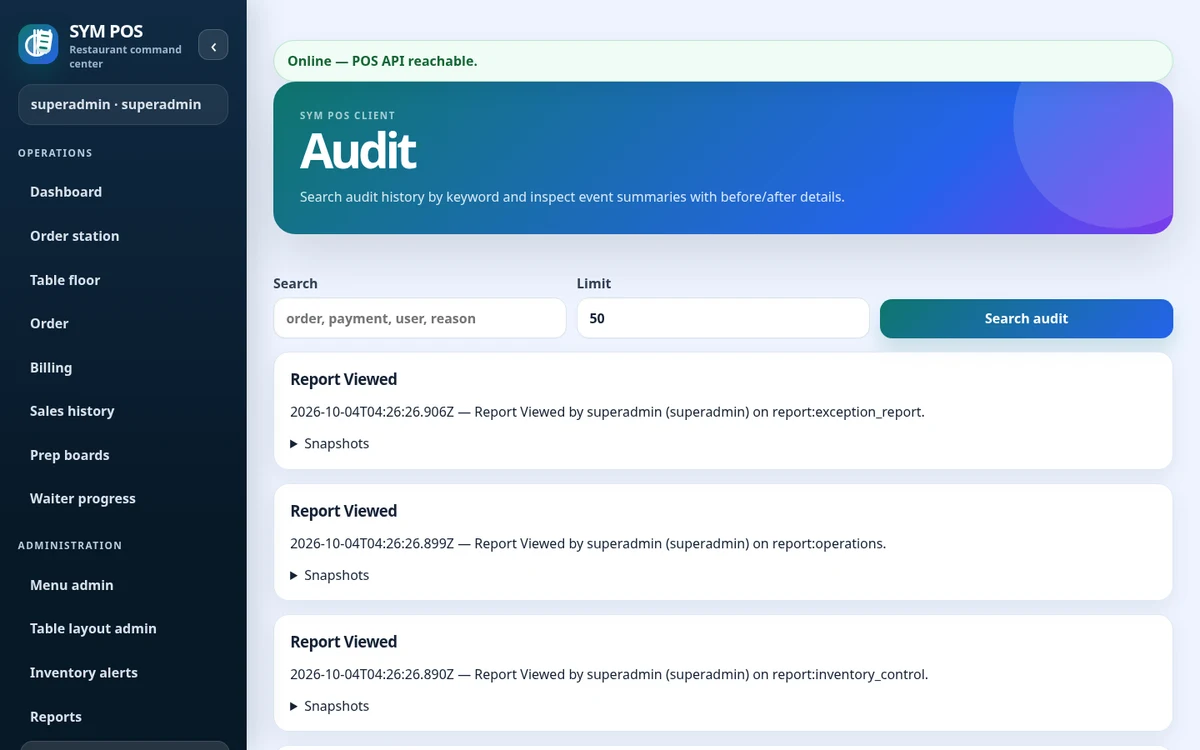
Review supported audit events with their actor and available context to investigate changes.
English and Myanmar UI resources, localized labels and editable mappings.
Authenticated sessions, active account controls and permission checks protect operational features.
Users, roles & auditSelf-host with persistent PostgreSQL storage. Plan backups, server access and network availability.
Read deployment guidesLANGUAGE AND PRINTING
English and Myanmar resources support multilingual teams. Plan the browser labels and physical receipt rendering together; Myanmar output needs compatible fonts and a Unicode-capable printing path.
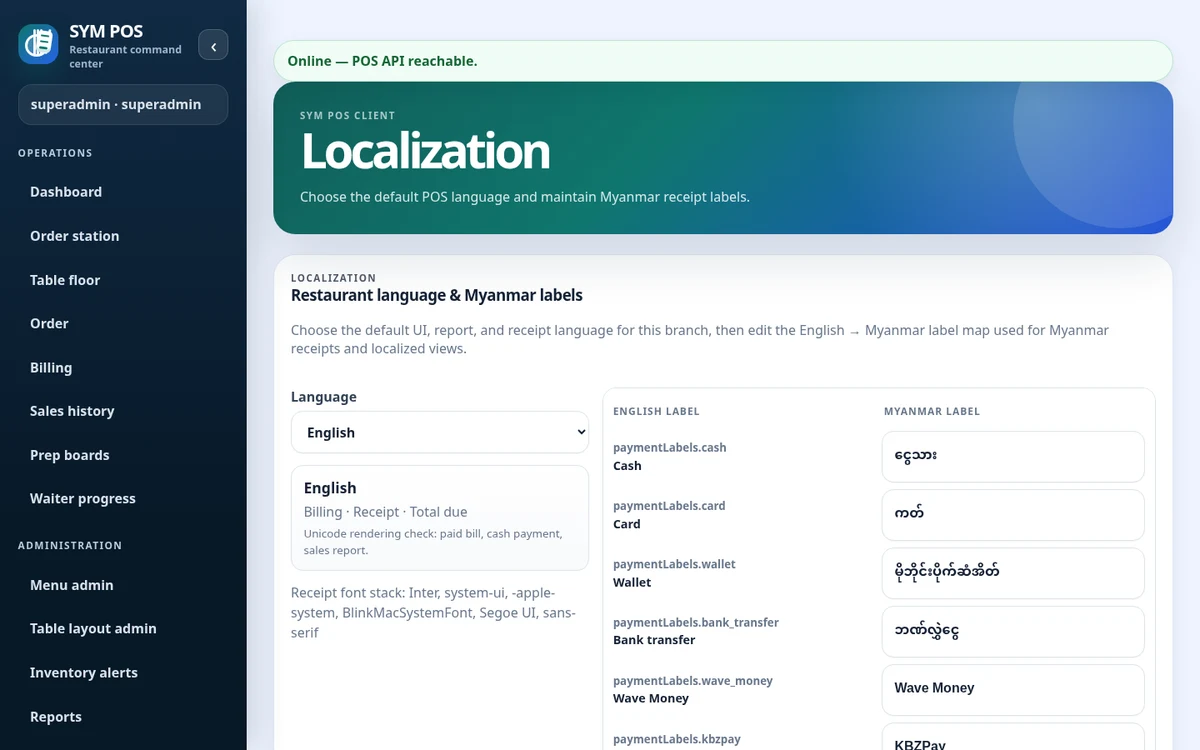
Manage the branch language and editable label mappings in the actual localization workspace.
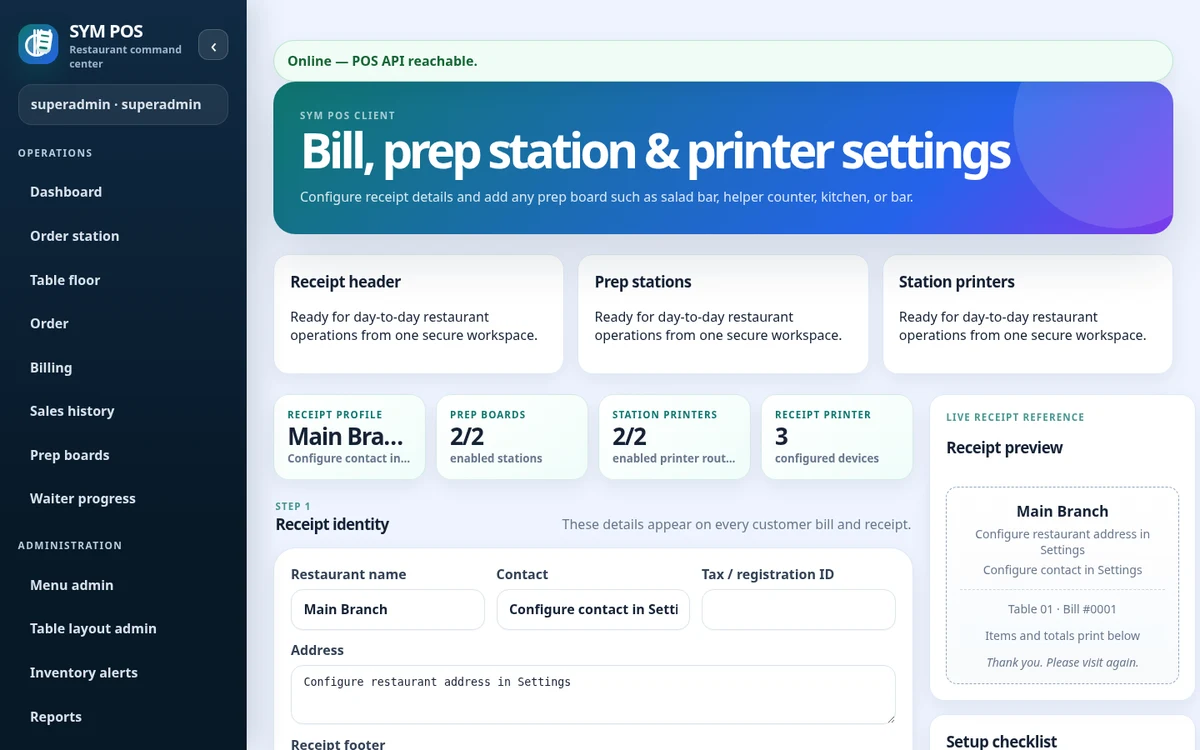
Keep restaurant receipt information and printer setup aligned with the selected transport and fonts.
OPEN SOURCE. BUILT IN THE OPEN.
SYM POS is an open-source restaurant operations project. Explore the implementation, follow its development and use the documentation to evaluate a local installation. If it’s useful to you, give the project a star on GitHub.
CUSTOM SUPPORT, WHEN YOU NEED IT
Start with the code and documentation. If you need help deploying, configuring or adapting SYM POS, contact us with your requirements. Support and custom development are discussed separately from the open-source project.
Discuss local server setup, PostgreSQL persistence, browser stations, network access and backup planning.
Get help planning tables, menu structure, preparation stations, permissions and receipt settings.
Discuss your printer transports, display devices and English/Myanmar font and label requirements.
Describe a workflow change or integration you need. We can discuss feasibility and agree a scope before work begins.
A FEW PRACTICAL ANSWERS
Core restaurant workflows can operate over the local network without continuous public Internet access, provided devices can reach the local SYM POS server and its database.
Restaurant workstations use a supported web browser. The application and PostgreSQL run on the restaurant server; terminals do not independently save offline orders.
Kitchen and bar browser queues are implemented. Receipt and preparation printing supports configured Windows queues, TCP network printers and a simulator. Test your hardware before deployment.
Current bidirectional synchronization supports menu data between local POS and cloud deployments, with durable queues and reconciliation. A complete centralized HQ product is not claimed.
Yes. Upload a .xlsx workbook with a Bulk Upload worksheet, validate it, review changes and confirm. The documented limit is 5,000 rows and 5 MB.
English and Myanmar UI resources and editable label mappings are implemented. Myanmar printing requires compatible fonts and a Unicode-capable printer path.
An in-memory evaluation mode is available, but its data disappears on restart. Persistent production deployments use PostgreSQL and need backups, network planning and secure infrastructure.
Yes. Explore the application source and documentation on GitHub, follow development and evaluate a local installation. Refer to the repository for its current licensing and contribution guidance. If the project helps you, please give it a star.
This site does not offer subscription tiers or a software pricing page. Start with the open-source repository and documentation. Custom deployment support or development can be discussed separately through Contact Us.
Contact us with your deployment, device and workflow requirements. Installation assistance, configuration and custom development are discussed according to feasibility, scope and availability; no support package or response-time promise is implied.
Use the product repository’s GitHub issues for a reproducible problem. Include the version, deployment mode and reproduction steps, and remove passwords, customer data and sensitive configuration from any attachments.
The browser needs to reach the local application server. Local-first removes the need for continuous public Internet access; it does not turn every terminal into an independent offline database.
OPEN SOURCE FOR RESTAURANT OPERATIONS
Start with the source and documentation. Contact us for help with a local installation, workflow configuration or custom development.