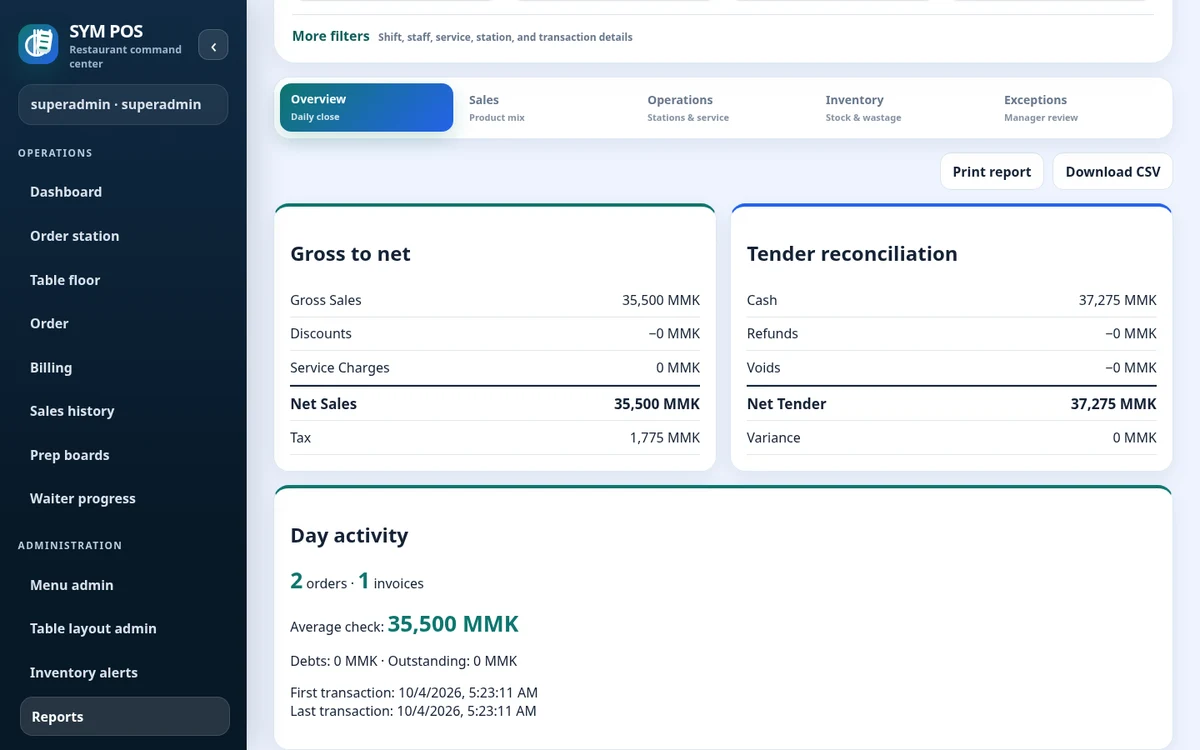
Daily summary reporting groups restaurant activity using the configured business-day and timezone rules. Check your deployment settings to ensure the reporting day matches your operation.
The restaurant’s reporting day may cross midnight. Set the deployment timezone and business-day rules to match your operation, then use the same date context when reviewing activity and exporting reports.
Daily summary with business-day context
Configured timezone and reporting boundaries
Manager and administrator review
SYM POS · Product preview
Actual SYM POS screen · Sample evaluation dataOpen full-size
02 — MANAGEMENT & REPORTING
Product mix and station activity
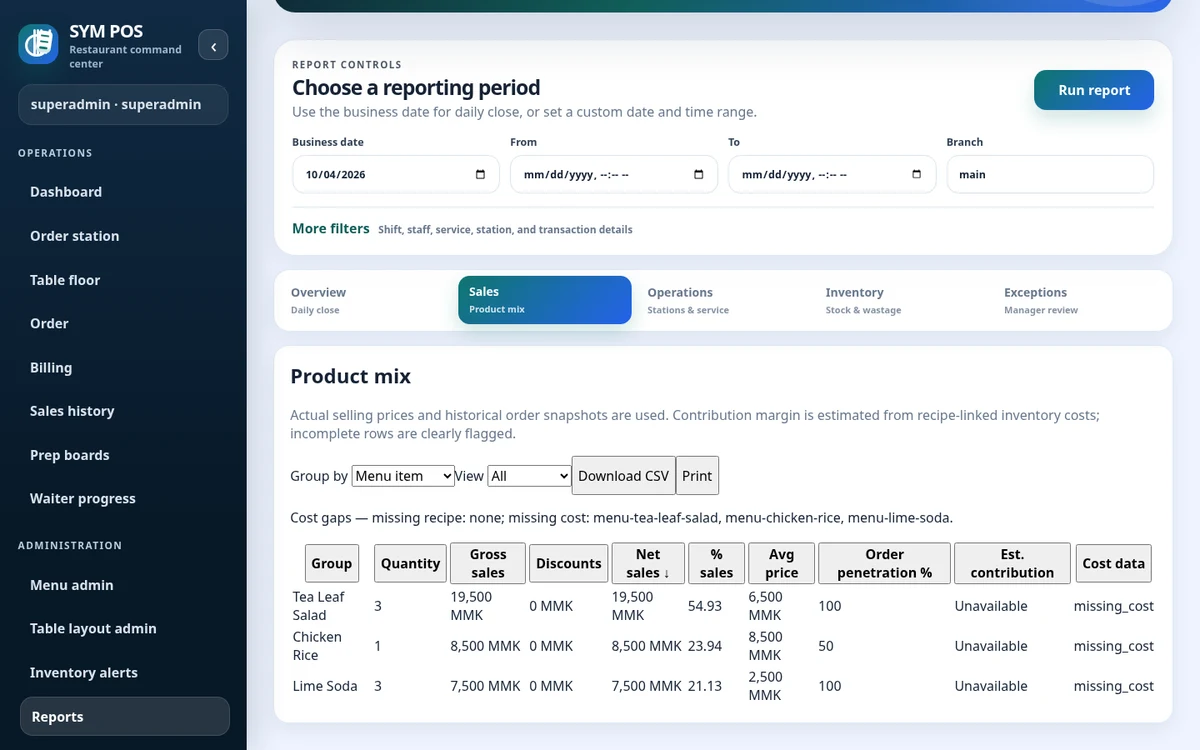
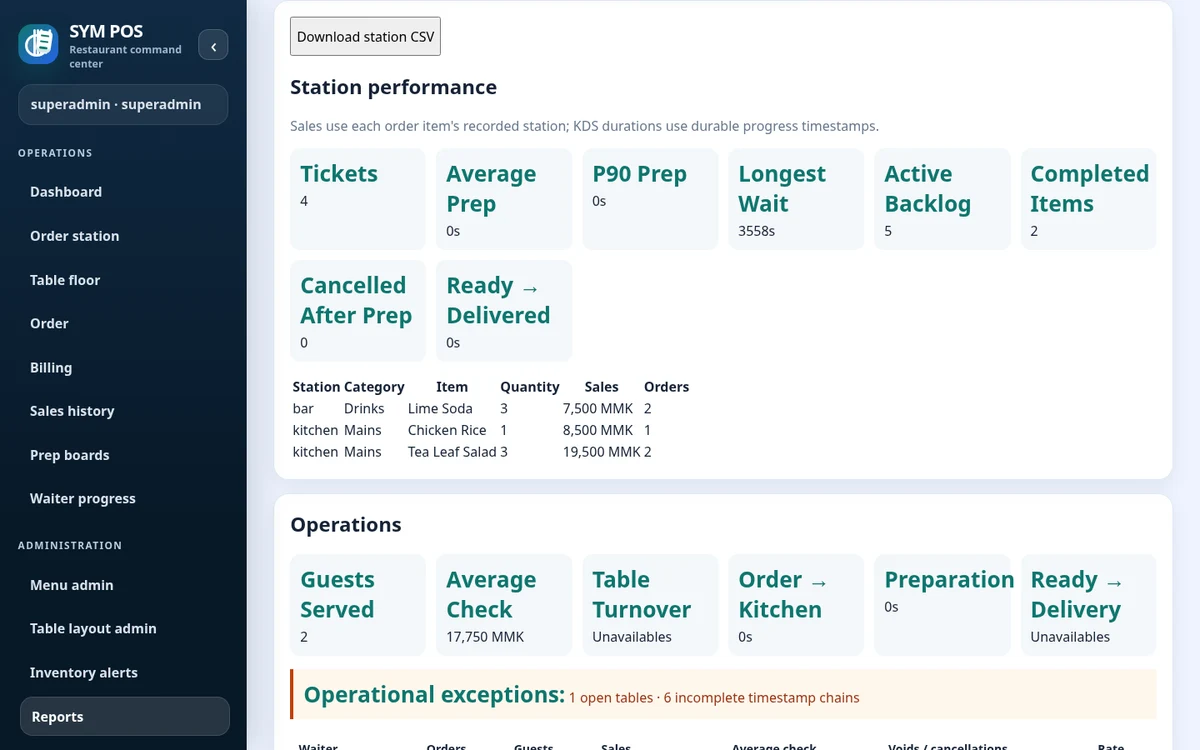
Product mix reports let managers review item and category activity. Station reports provide preparation-area context, while exception reports collect operational exceptions for investigation.
Start with item and category activity, then examine the relevant preparation station. Product mix and station reports provide different views of the same restaurant activity; use the question you want to answer to choose a view.
Product mix by item or category
Recorded station context
Filters and report period controls
SYM POS · Product preview
Actual SYM POS screen · Sample evaluation dataOpen full-size
03 — MANAGEMENT & REPORTING
Take the report with you
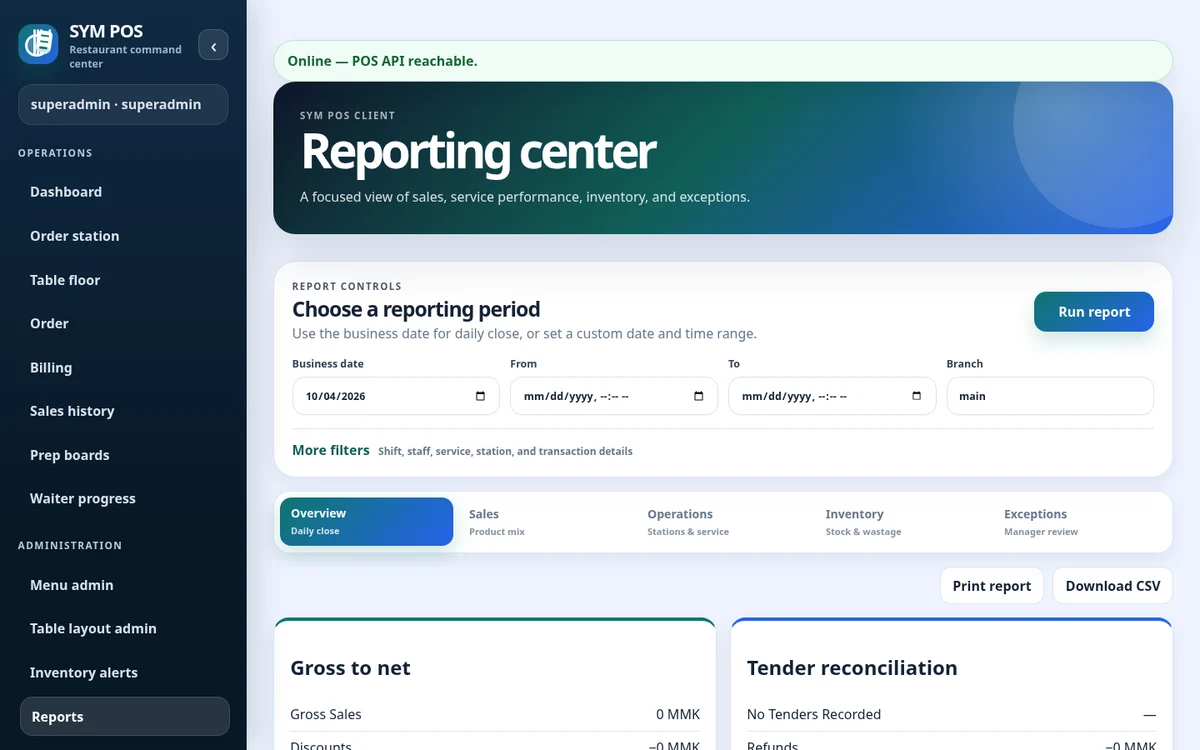
The browser offers CSV downloads and printable report views for supported reports. Reports are permission-gated to manager and administrator access. These tools do not imply forecasting or AI analytics.
CSV export supports your own review process, while a printable report view helps share a period’s results. Check filters before downloading so the exported data reflects the location and dates you intended.
Supported report CSV downloads
Printable report views
Access governed by report permissions
SYM POS · Product preview
Actual SYM POS screen · Sample evaluation dataOpen full-size
04 — MANAGEMENT & REPORTING
Follow up on operational exceptions
Exceptions deserve a separate conversation from headline totals. Review operational exceptions and audit context before drawing conclusions about a correction, void or unusual sequence of activity.
Operational exception reporting
Station activity and progress context
Audit history for supported sensitive actions
SYM POS · Product preview
Actual SYM POS screen · Sample evaluation dataOpen full-size
Try the workflow with your own setup in mind.
Explore the source and product guide, then evaluate with sample data before planning production use. If you need help with installation, configuration or a custom workflow, contact us with your restaurant and device requirements.
A restaurant platform you can explore, run and help improve.
SYM POS is an open-source restaurant operations project. Explore the implementation, follow its development and use the documentation to evaluate a local installation. If it’s useful to you, give the project a star on GitHub.